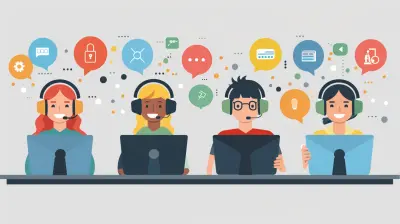
Integrating AI Assistants into Your Daily Work Life
5 October 2026
AI assistants have moved from novelty to utility in a remarkably short time. A few years ago, asking a machine to draft an email or summarize a report felt like a party trick. Today, millions of professionals rely on these tools to handle routine cognitive work, and the gap between people who use them well and people who ignore them is widening. That gap is not about technical skill. It is about judgment, workflow design, and knowing where these systems genuinely help versus where they quietly create new problems.
This article is for the person who has dabbled with a chatbot, maybe felt underwhelmed, and suspects there is more to it. It is also for the manager trying to figure out whether to encourage or restrict AI use across a team. The advice here comes from practical experience with these tools in real work settings, not from marketing material. Some of it will contradict what you have read elsewhere, because the honest answer to many questions about AI assistants is "it depends," and that deserves a real explanation rather than a slogan.

What an AI Assistant Actually Is, and What It Is Not
Before integrating anything into your day, you need a clear mental model of the tool. Most AI assistants today are built on large language models. They predict likely text based on patterns in their training data. They do not look things up unless connected to a search tool. They do not remember your last conversation unless the product specifically stores context. They do not "know" anything in the way a colleague knows your project history.This matters because it shapes what you can trust them with. A language model is excellent at transforming text: shortening, expanding, rephrasing, translating, restructuring, generating variations. It is unreliable at recalling precise facts unless you supply them. It is weak at arithmetic unless given a calculator tool. It has no awareness of your company's internal politics, your client's mood, or the meeting that happened five minutes ago.
Think of it as a very fast, very well-read junior colleague who has never worked at your company, has no memory of yesterday, and occasionally makes things up with total confidence. That framing is not an insult. It is a practical guide. You would not hand that colleague a client-facing deliverable without review. You would happily hand them a first draft, a list of options, or a messy pile of notes to organize.

Why Most People Get Mediocre Results
The single biggest reason people walk away from AI assistants disappointed is that they treat them like search engines. They type three or four words, get a generic answer, and conclude the tool is overhyped. This is a usage problem, not a capability problem.A language model has no idea what you want unless you tell it. Vague input produces vague output. Specific input, with context, constraints, and examples, produces something useful. This is why two people using the exact same tool can have wildly different experiences. One gets a polished report outline. The other gets a bland paragraph that reads like a Wikipedia stub.
The second common mistake is expecting perfection on the first try. Good AI work is iterative. You prompt, you read the output, you point out what is wrong or missing, and you refine. Treating the first response as final is like submitting your first brainstorm as a finished proposal. It rarely works, and it is not how the tool is designed to be used.
The third mistake is using AI for things it is structurally bad at. Asking a model to recall a specific statistic from a specific study is a recipe for a fabricated number. Asking it to reason through a complex multi-step calculation without a tool is asking for trouble. Knowing the boundaries is half the skill.

Starting Small: The Right First Use Cases
When people ask where to begin, the honest answer is: pick tasks that are low-stakes, repetitive, and text-heavy. These are the areas where AI assistants deliver immediate value with minimal risk.Drafting and Rewriting
If you write emails, proposals, or internal updates, an AI assistant can turn a rough set of bullet points into a coherent draft in seconds. You stay in control of the message. The tool handles the sentence construction. This is a safe starting point because you can read the output and immediately judge whether it is accurate.A useful pattern: write your thoughts in plain, messy language, then ask the assistant to turn them into a professional version at a specific length and tone. You will often find that the act of writing the messy version clarifies your own thinking, and the AI handles the polish.
Summarizing Long Documents
Feeding a lengthy report, transcript, or thread into an AI assistant and asking for a summary is one of the highest-value uses. It saves time and surfaces points you might have skimmed past. The caveat: always verify anything you plan to act on. Summaries can drop nuance, invert emphasis, or miss a crucial qualifier. Use them as a map, not as the territory.Generating Options
When you are stuck, asking an assistant for ten possible approaches to a problem is a fast way to break a mental block. You will not use most of them. That is fine. The goal is to expand your thinking, not to outsource it. This works especially well for naming things, structuring presentations, or brainstorming angles for a piece of writing.Formatting and Restructuring
Turning a wall of text into a table, converting notes into an outline, or reformatting content for a different platform are tasks where AI assistants shine. There is little room for factual error because the content already exists. The tool is just reshaping it.Notice that none of these involve the AI making decisions for you. They involve the AI handling mechanical work so you can focus on judgment.

Where AI Assistants Quietly Fail
The failure modes are less obvious than the successes, which is exactly why they cause problems.Fabrication
Language models generate plausible text. Sometimes plausible means true. Sometimes it means invented. A confident-sounding citation, a specific date, a named person who does not exist. This is not a bug that will be patched away entirely. It is a property of how these systems work. Any factual claim from an AI assistant needs verification before it goes into something that matters.Loss of Nuance
When you ask for a summary, the model decides what matters. It may flatten a careful argument into a simplistic one. It may drop the caveat that was the whole point. In fields like law, medicine, finance, or any area where qualifications carry weight, this is dangerous. Summaries are useful for orientation, not for decision-making.Confident Wrongness on Specialized Topics
Ask an AI assistant about a niche area where you have deep expertise, and you will often spot errors immediately. This is a useful calibration exercise. It shows you how the tool behaves when it does not know something. It rarely says "I am not sure." It usually answers anyway. Remember that the next time you ask about something outside your expertise.Context Blindness
The assistant does not know your organization's history, your client's sensitivities, or the unwritten rules of your workplace. It will happily suggest an approach that would be tone-deaf in your specific setting. You are the one who has to catch that.Over-reliance and Skill Atrophy
This one is subtle and long-term. If you outsource all your writing to an AI, your own writing may weaken. If you never draft your own thinking, your ability to structure an argument may fade. The tool should extend your capability, not replace the underlying skill. The best users are usually people who could do the work themselves and choose to delegate the mechanical parts.Building a Personal Workflow
Integration is not about using AI for everything. It is about knowing which parts of your day to hand over and which to keep.A practical approach: for one week, note every task you do that involves producing or processing text. At the end of the week, sort them into three buckets. Tasks where AI clearly helps. Tasks where it might help with review. Tasks where it should stay away.
Most people find that drafting, summarizing, and reformatting land in the first bucket. Research and fact-checking land in the second. Anything involving confidential data, high-stakes decisions, or nuanced interpersonal communication lands in the third, at least until you have built trust and understood the tool's limits.
A Concrete Example
Suppose you need to write a project update for stakeholders. The old way: you stare at a blank page, write a rough version, edit it, and send it. The integrated way: you jot down the key points in messy notes, ask the assistant to turn them into a structured update at a specific length for a specific audience, read the draft, correct anything that misrepresents the situation, and send it. The AI did not do the thinking. It did the formatting. You saved fifteen minutes and probably got a clearer document.Now suppose you need to decide whether to greenlight a project. You would not ask an AI assistant for the answer. You might ask it to lay out the arguments for and against, or to surface risks you might have missed. But the decision is yours, and the context it lacks is exactly the context that matters most.
Working with AI in a Team Setting
Individual use is one thing. Team use introduces new questions.The first is consistency. If five people on a team use AI assistants in five different ways, the output can feel disjointed. Some organizations address this with shared prompt libraries or style guides for AI use. Others leave it to individual discretion. There is no universal right answer. What matters is that the team agrees on standards for accuracy, review, and disclosure.
The second is disclosure. Should you tell a client that part of a deliverable was drafted with AI assistance? In most cases, no, any more than you would disclose that you used spellcheck. But in some contexts, such as academic work, journalism, or regulated industries, disclosure rules exist or are emerging. Know your field.
The third is data handling. Many AI assistants send your input to a server. If you paste in confidential client information, you may be violating an agreement or a regulation. Check what your tool does with your data before you use it for anything sensitive. Some enterprise versions offer stronger privacy guarantees. Consumer versions often do not.
The fourth is skill distribution. If junior staff lean heavily on AI while senior staff do not, you can end up with a team where the juniors never develop the foundational skills that make senior judgment possible. This is a real risk and worth thinking about deliberately. Some managers pair AI use with a requirement that people be able to defend their output without it.
Common Misconceptions Worth Correcting
A few beliefs about AI assistants cause more trouble than they should."It will get everything right if I phrase it well." No. Better prompting improves output quality, but it does not eliminate errors. Verification is always part of the process.
"It is just a fancy autocomplete." Partly true, but misleading. The scale of the pattern recognition produces behavior that feels qualitatively different from autocomplete. Dismissing it undersells what it can do. Overstating it oversells what it can be trusted with.
"It will replace my job." For most knowledge workers, the more likely outcome is that tasks shift. The parts of your job that are mechanical get faster. The parts that require judgment, relationships, and context become more central. Whether that is good or bad depends on how you adapt.
"It is only useful for writers." Not true. Engineers use it to explain unfamiliar code. Analysts use it to draft SQL queries. Managers use it to prepare for difficult conversations. The common thread is text and reasoning, not job title.
"Bigger models are always better." Sometimes a smaller, faster model is the right choice for a simple task. Speed and cost matter. Matching the tool to the job is more important than chasing the newest release.
Practical Guardrails That Actually Work
Rather than vague advice like "use it responsibly," here are specific habits that hold up in practice.Never paste confidential information into a tool you have not vetted for data handling. This is the single most common and most costly mistake.
Always verify factual claims before they leave your hands. Treat every number, name, date, and citation as unconfirmed until you have checked it.
Keep a human in the loop for anything client-facing or decision-critical. The AI can draft. You decide.
Be explicit about what you want. Length, tone, audience, format, and constraints. The more specific your request, the less editing you will do.
Iterate. The first response is a starting point. Push back, ask for alternatives, and refine.
Save what works. When a prompt produces a genuinely useful result, keep it. Over time you build a personal library of patterns that save real time.
Know when to stop. If you have spent twenty minutes trying to get an AI to do something it keeps getting wrong, do it yourself. The tool is supposed to save time, not consume it.
What to Consider Before Going Deeper
If you are thinking about integrating AI more seriously into your work, a few questions are worth answering first.What is your risk tolerance? A solo consultant drafting blog posts has different stakes than a hospital administrator summarizing patient notes. The same tool, used the same way, carries different consequences.
What does your organization allow? Many companies now have policies on AI use. Ignoring them is not a smart shortcut.
What is your data situation? If your work involves personal data, trade secrets, or regulated information, the tool you choose matters as much as how you use it.
What skills do you want to preserve? Decide deliberately which abilities you want to keep sharp and which you are comfortable delegating. This is a personal choice, but it should be a conscious one.
Where is the real bottleneck in your work? AI helps most when the bottleneck is producing or reshaping text. It helps least when the bottleneck is judgment, relationships, or information you alone possess.
A Realistic Outlook
AI assistants are useful, imperfect, and evolving. The people who get the most from them are not the ones with the cleverest prompts. They are the ones with clear thinking about what the tool is for, where its limits are, and what they want to keep doing themselves. That is not a technical skill. It is a professional one.Integration does not mean handing your work over. It means deciding, task by task, what to delegate and what to own. Done well, it frees up time and attention for the parts of your job that actually require you. Done poorly, it adds review work, introduces errors, and erodes skills you spent years building.
The difference between those outcomes is not the tool. It is you.
all images in this post were generated using AI tools
Category:
Productivity ToolsAuthor:

Lily Pacheco
Discussion
rate this article
1 comments
Ruby McCaw
Integrating AI assistants can transform your workflow. By handling repetitive tasks, they free up your time for strategic thinking and creativity. Embrace this change and lead your team into the future.
October 5, 2026 at 3:40 AM